The same target can produce different results
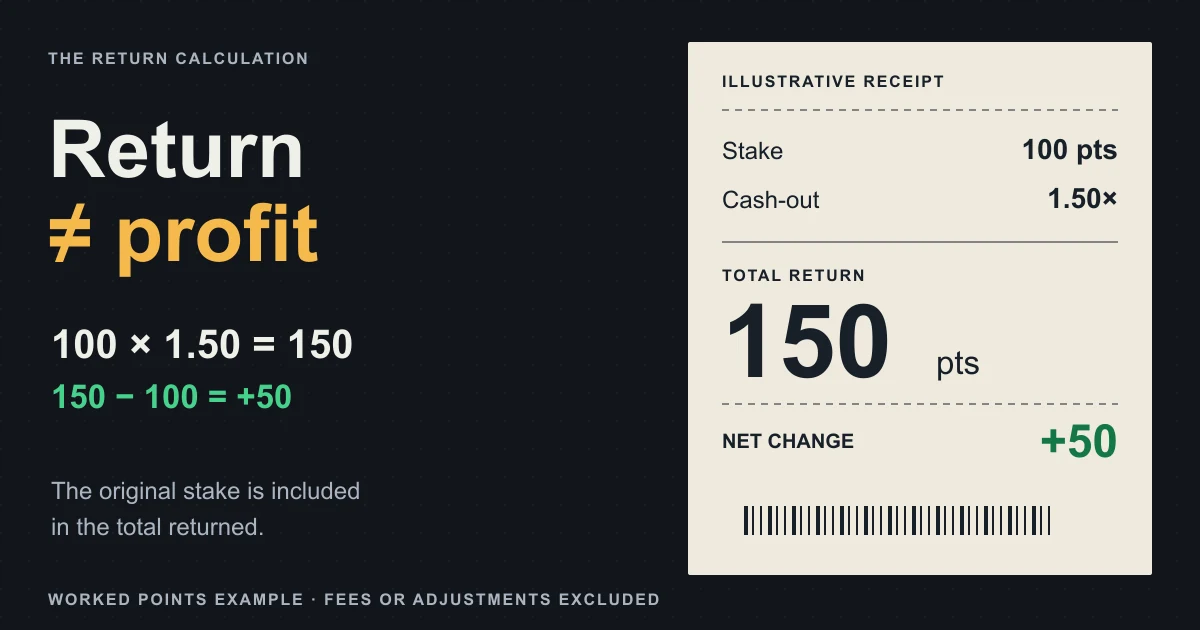
Take a 100-point stake with an auto cash-out target of 1.50×. These examples assume the target was accepted before the round and processed under the game’s rules.
| Example | Round crashes at | Total return | Net result |
|---|---|---|---|
| Target reached first | 2.00× | 150 points | +50 points |
| Crash happens first | 1.20× | 0 points | −100 points |
| Crash equals target | 1.50× | Depends on the exact boundary rule | Not established by the display alone |
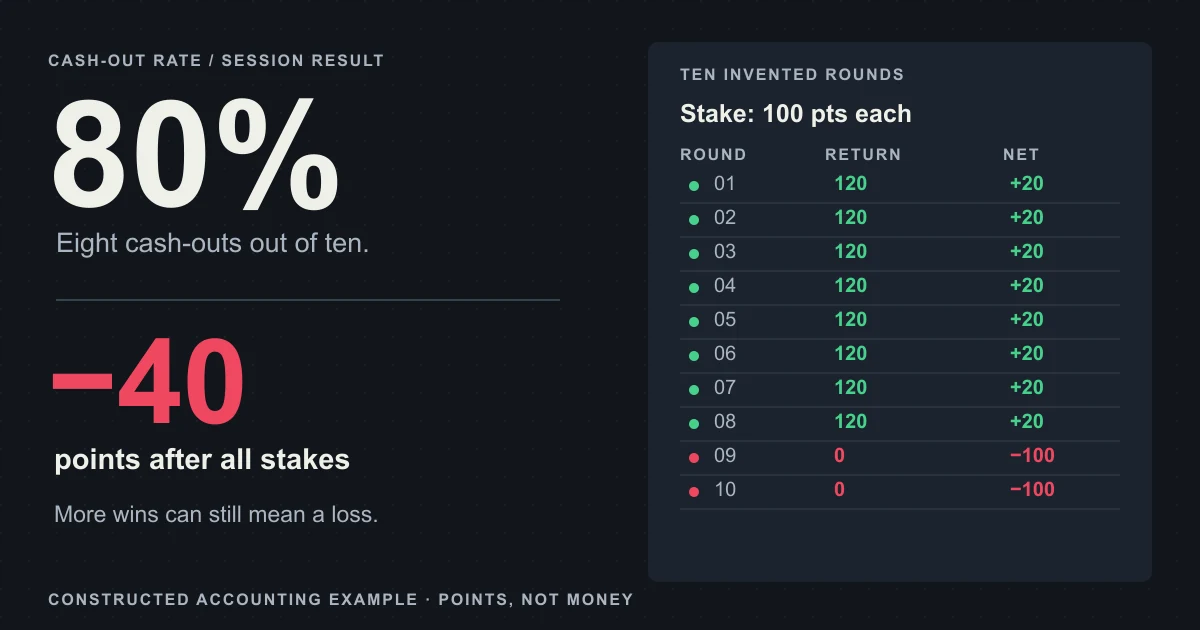
The first return is 100 × 1.50 = 150 points, including the starting 100. The second loses the stake. A saved target does not reserve a payment before the round reaches it. For a crash exactly at the target, check the operator’s comparison, precision and event-order rules rather than assigning a result from a rounded label.
Does auto cash-out make a target safe?
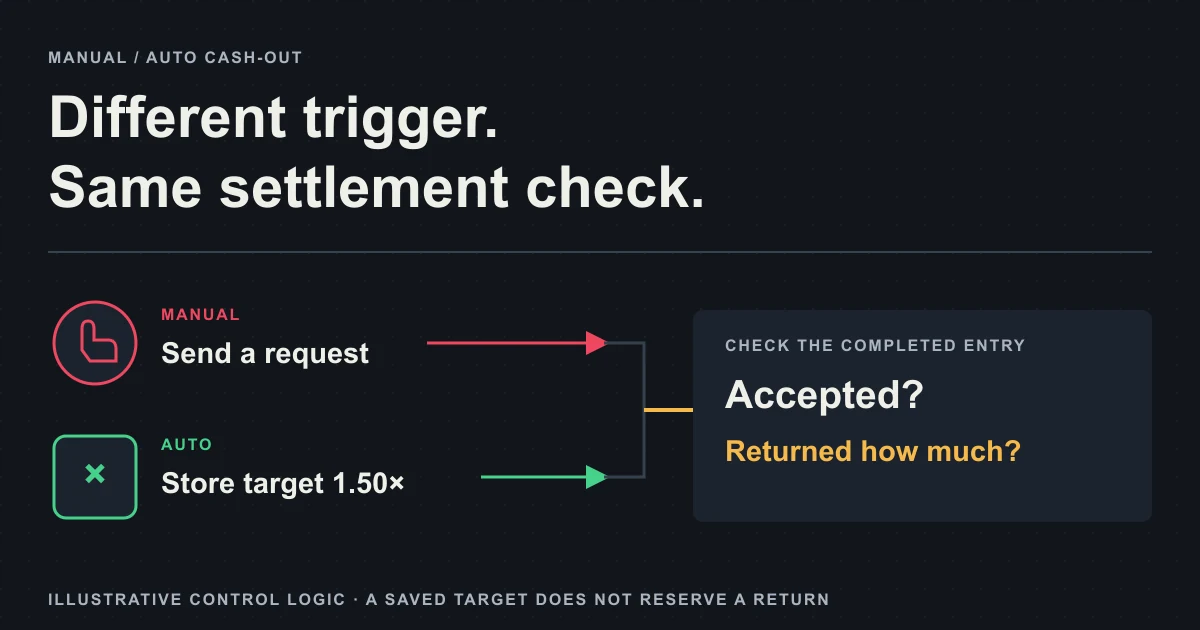
No. A preset target is an instruction, not a guaranteed return. If the round ends before the target is reached, there is no successful target cash-out. Check the exact game’s acceptance and boundary rules before interpreting its result.
Compare accepted values, not intentions
Suppose you intended to stop at 1.50× but a manual request was accepted at 1.43×. For 100 points, the recorded total would be 143. That is the value used in the calculation, rather than the number you hoped to select.
There are several different states to keep separate: a value typed into a field, a setting submitted to the service, an accepted setting attached to the right entry, and a completed cash-out. A screenshot of the first state does not establish the last.
Bustabit’s official scripting documentation makes a useful operator-specific distinction: a cash-out method attempts an action, while a separate event reports a cash-out. This is a helpful way to read a confirmation, not a claim that Master Crash exposes the same API.
Auto bet and auto cash-out answer different questions
Auto bet concerns whether another stake is submitted for a later round. Auto cash-out concerns when an existing entry should settle. A product can offer either, both, or neither; the word “auto” alone is incomplete.
Imagine a control that repeats a 100-point stake but has no cash-out target. It may continue entering rounds without performing the exit you expected. Conversely, a target for a single entry does not necessarily start the next round. Check the round count, stop conditions, repeated stake and cash-out setting separately.
Bustabit’s script documentation also documents stopping the script itself. Stopping future submissions, cancelling a queued entry and settling an active stake should not be treated as interchangeable actions in another app.
A click and a confirmation are different events
Your screen, network and the game service do not necessarily update at exactly the same instant. An animation can show a value while a request is still pending. The completed record is therefore more useful than a screenshot of a moving curve when checking a result.
Consider three cases: a click receives a successful confirmation; a click receives a rejection; or the connection drops before any response appears. The third is an unknown state, not evidence of either success or failure. Reconnect and inspect the entry before assuming what happened.
Read the app’s explanation of disconnections and accepted automatic settings. A browser-side timer and a target stored by a game server can behave differently when the browser closes. This article does not verify which implementation a particular Master Crash build uses. A completed round’s cryptographic check also does not, by itself, prove when a cash-out request arrived.
Two stakes in one round still share the crash point
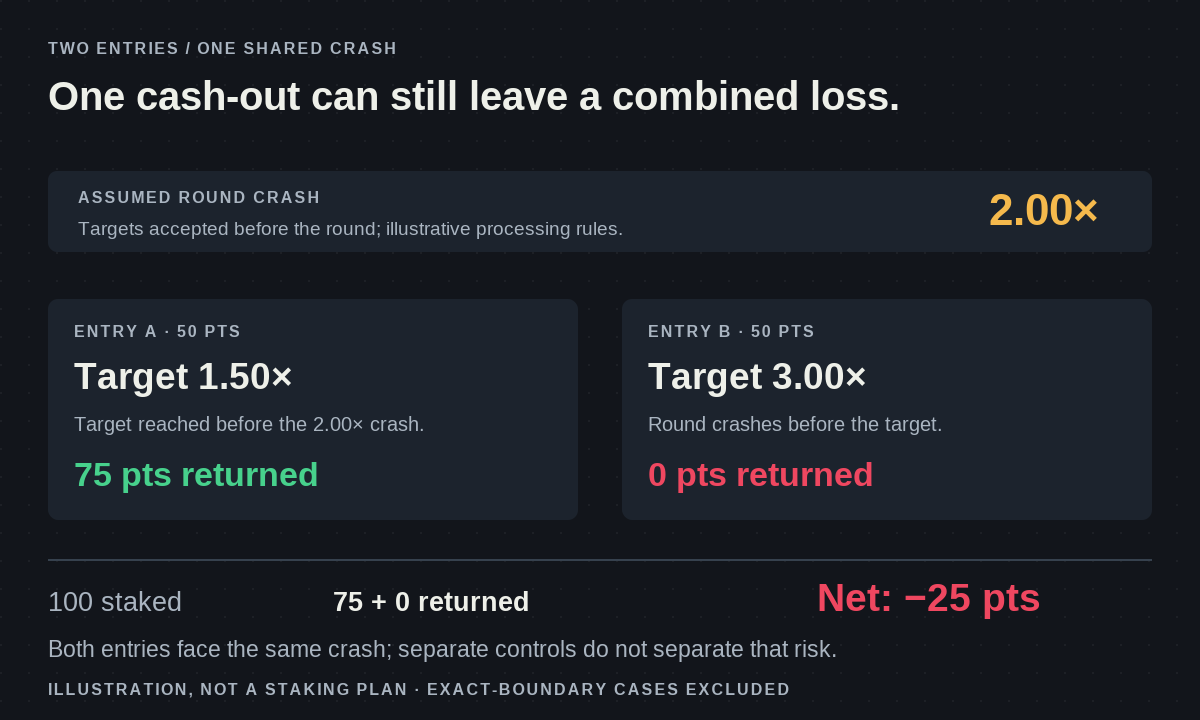
Separate controls do not make the outcomes statistically independent. Suppose a single round contains two 50-point entries, one targeting 1.50× and the other 3.00×. The following is an illustration, not a suggested staking plan.
| Crash point | Return from first entry | Return from second entry | Combined net |
|---|---|---|---|
| 1.20× | 0 | 0 | −100 pts |
| 2.00× | 75 pts | 0 | −25 pts |
| 4.00× | 75 pts | 150 pts | +125 pts |
In the middle row, one successful cash-out still leaves a combined loss. Both entries face the same early crash, so splitting the amount does not remove that shared risk. For the arithmetic behind these totals, see total return and net change.
Check the setting before the round
Confirm which round and which entry a target belongs to, whether the setting persists, and whether editing it has been accepted. Then check maximum returns, precision and any fees. A target shown beside one entry may not describe another.
An app might display 1.50× after rounding an underlying value. That is different from proving that an exact 1.50× settlement condition was satisfied. Avoid borrowing another operator’s tie rule or connection policy just because the screens look similar. Published rules, accepted settings and the final entry record should agree; unresolved differences belong in a support query.
Try the manual example
Our browser demo has manual cash-out only. Start with 100 virtual points, cash out while it runs, and compare the result with the accepted multiplier. Reset clears the example.
The demo uses a fixed sequence of crash points. It explains controls and arithmetic; it cannot establish real-game odds or whether a target has a positive expected return. The RTP and house-edge guide explains why those are separate questions.
Sources & further reading
- Bustabit official scripting documentation: Engine API
- Bustabit official scripting documentation: stopping the script
- Master Crash virtual-points demo
Worked examples are illustrative. Operator documentation describes that operator’s product and is not an independent audit of the games discussed here.
Try the cash-out example
Use virtual points to see the return calculation while a demo round runs.
Open the demo